 Ingabebooks
Keep your books,clear and simple
Sales, expenses, VAT and assets, with your profit & loss and balance sheet ready when you need them. On your own computer.

For Windows 10 and 11 · Your data stays on your computer
Features
Everything your books need,nothing they don't
Sales and expenses, with VAT
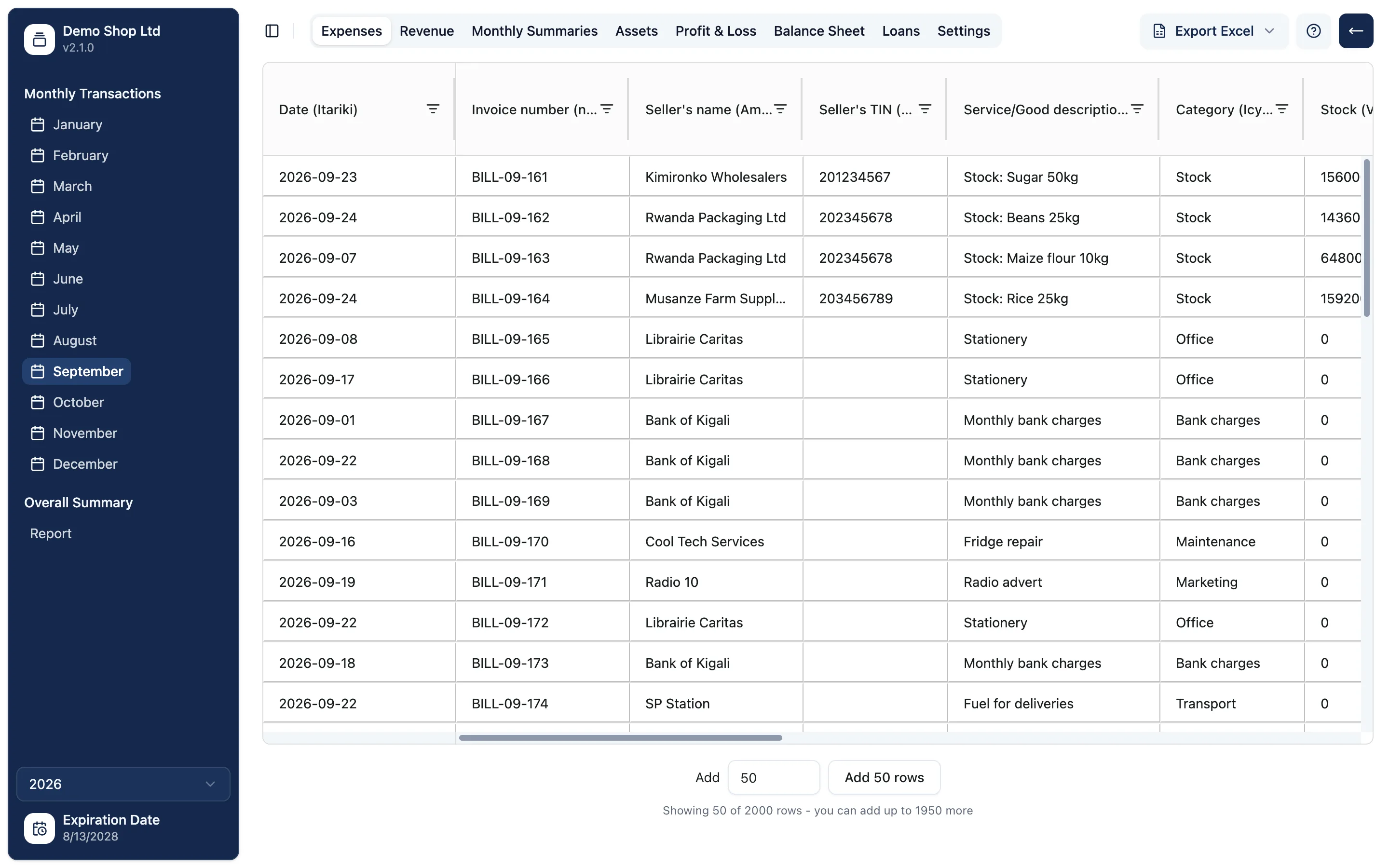
Record each sale and bill once. VAT is kept separate, and every row shows a tick when it balances.
Profit & loss and balance sheet
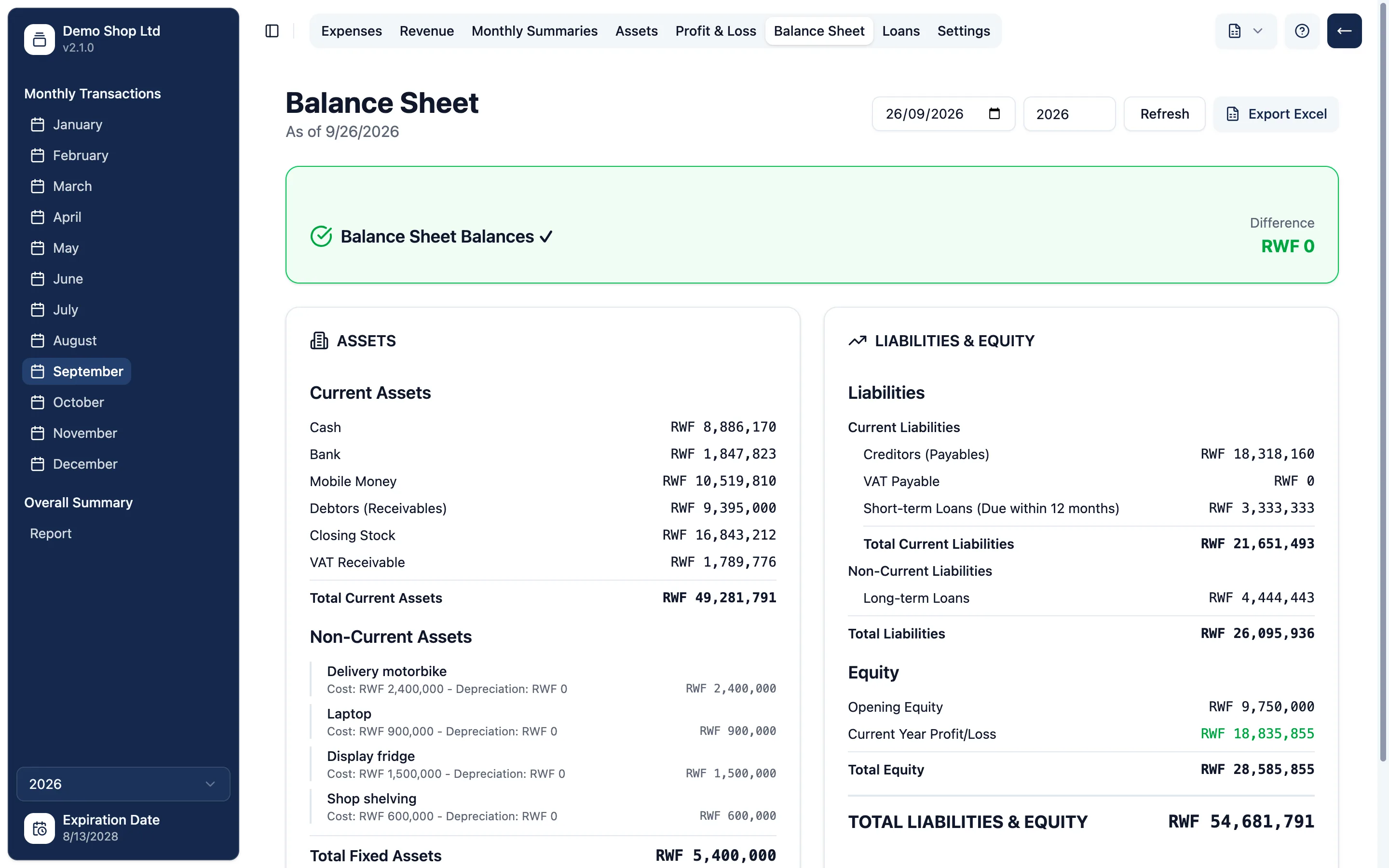
Your reports come from the same numbers you enter, and the balance sheet checks itself.
Assets and depreciation
Keep your equipment on record, depreciate it each year and record a sale when you let it go.
Loans and repayments
Record a loan and each repayment, split into principal and interest, and see what is left to pay.
Debtors and creditors
See who owes you and whom you owe, net of every payment already made.
Export to Excel
Any report or table becomes a neat Excel file, ready to share with your accountant or the tax office.
See it
Your whole year,at a glance
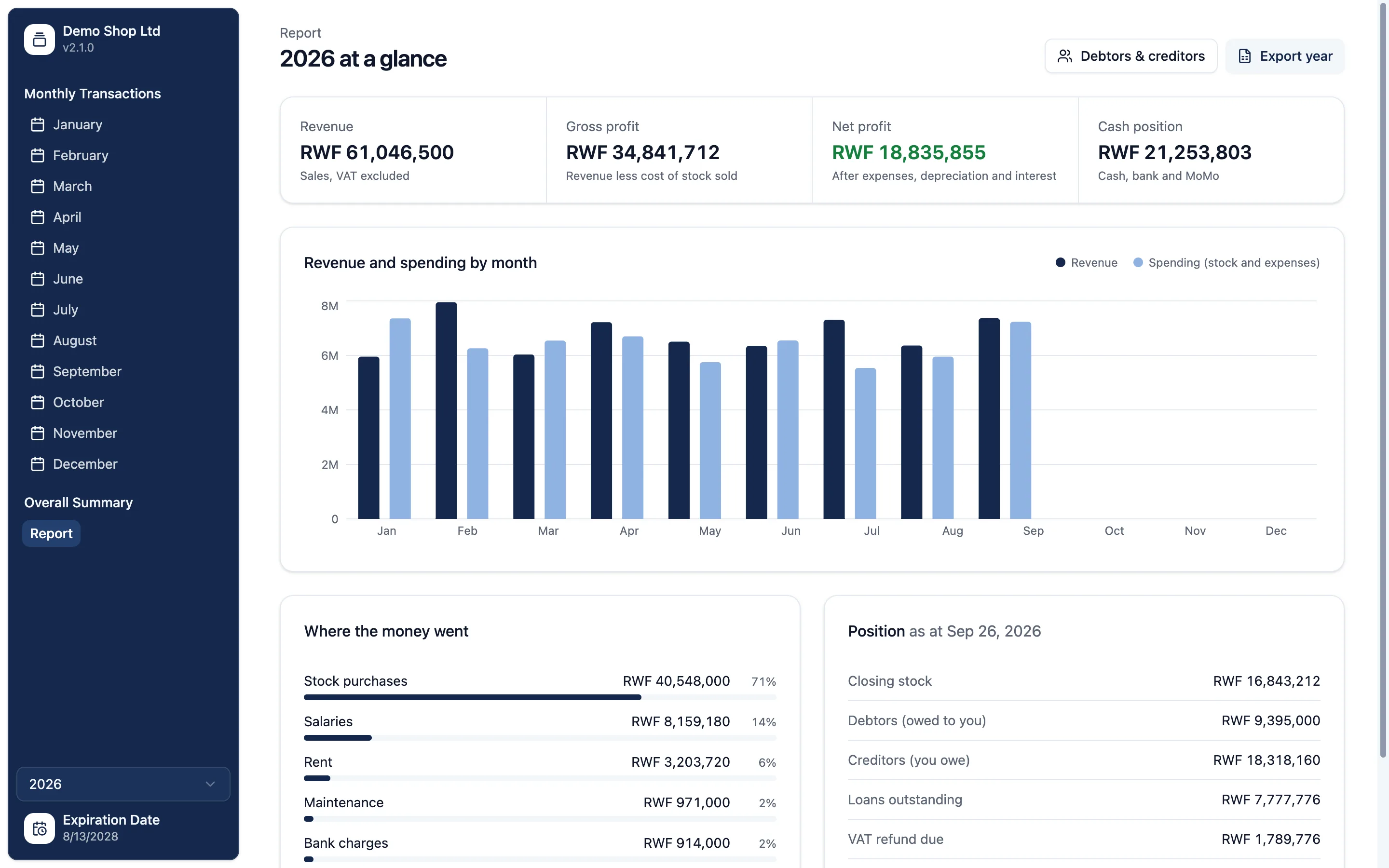
How it works
Up and runningin three steps
- 1
Download
Get Ingabebooks from the Microsoft Store for Windows 10 or 11.
- 2
Request a license
Fill in a short form with your business details and the plan you need. We send you a license key.
- 3
Enter your key
Paste the key into the app, add your opening balances, and start recording.
Plans
Every feature in every plan,pick the size that fits
Plans differ only in how many rows each table holds, for example how many sales you can record in a month. Tell us your plan in the request form and we will send the price and how to pay.
Basic
100
rows per table
- All reports and exports
- Updates through the Store
- Reminder before renewal
Standard
500
rows per table
- All reports and exports
- Updates through the Store
- Reminder before renewal
Premium
Recommended2,000
rows per table
- All reports and exports
- Updates through the Store
- Reminder before renewal
Enterprise
Unlimited
rows per table
- All reports and exports
- Updates through the Store
- Reminder before renewal
FAQ
Questions,answered
Is my business data stored online?+
No. Your records are kept in a file on your own computer. The app only goes online when you enter a license key: it sends the key and an ID for your computer, nothing about your business.
Do I need the internet to use it?+
Only to enter your license key. After that, recording and reports work fully offline.
What is a row limit?+
Your plan sets how many rows each table can hold, for example how many sales you can record in a month. Every plan has every feature, and you can move to a bigger plan at any time.
Which computers does it run on?+
Windows 10 and 11, from the Microsoft Store. A version for Mac is on the way.
What happens when my license is about to expire?+
The app reminds you three days before, with a link to request a new key. Enter the new key and carry on: your records stay exactly where they are.
I have a new computer. Can I move my license?+
Yes. A license works on one computer at a time. Ask us through the request form and we will release it so you can activate it on the new one.
Is it available in Kinyarwanda?+
The guidance notes that explain how to record opening balances, assets, loans, sales and expenses are written in both English and Kinyarwanda.
Start keeping clear books today
Download Ingabebooks, request your license, and record your first sale in minutes.